To add a new document, click  .
.
The Documents page displays a table of documents that have been created on the system with pertinent information for each document. The screen includes two filter options – search by name and document status. For each document listed in the table, an Actions drop-down menu will be shown when a row is hovered over including options to download or email the document.
Each row displays the following information:
Document Name
Description
Status
Created By
Created On
Upon clicking on a Document’s name, you will be taken to the Document Detail page. On this screen you can edit details of the document including the document’s name, description, and status. Edit permissions is determined by the user’s role & access in the application.
Users with edit access may also upload a new version of the document, change the current version, or remove versions. In addition, these users may edit the access/sharing of the document by selecting user groups or specific users with whom the document should be shared.
Sort data by a specific column
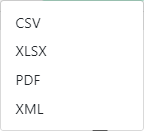
Export the data displayed on the screen


 . The following pop-up window displays: